Understand Your Photography
Free, local analytics for your Lightroom Classic catalog. See gear usage, shooting patterns, ratings, and trends. Runs entirely in your browser. Nothing is uploaded.
Free, local analytics for your Lightroom Classic catalog. See gear usage, shooting patterns, ratings, and trends. Runs entirely in your browser. Nothing is uploaded.
Lightroom doesn't tell you. PhotoStats does, for free.
Any size — small hobby catalogs to 500,000+ photo libraries.
SQLite WASM opens the catalog in your browser tab. No server, no upload.
Filter by date, camera, lens. Drill into patterns. Compare time periods.
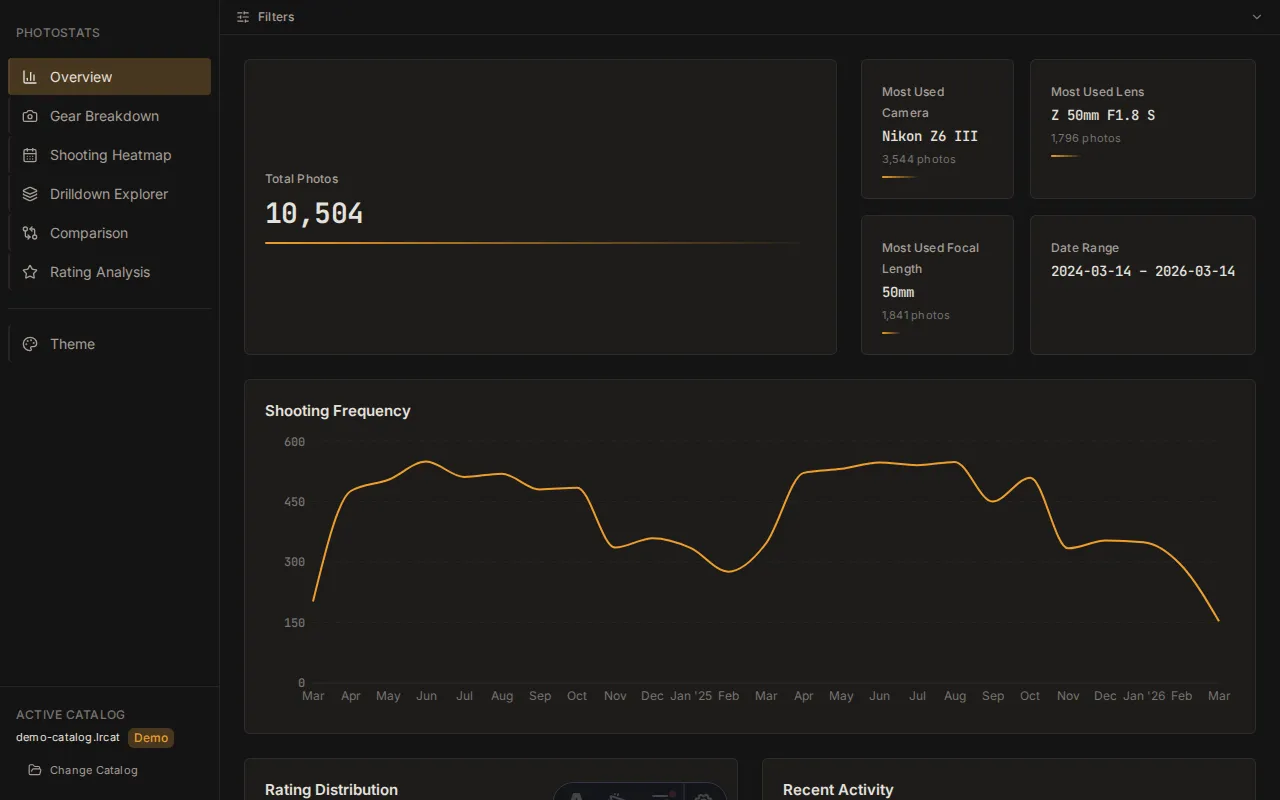
Total photos, date range, shooting frequency over time, and your most-used gear at a glance. The starting point for understanding your catalog.
Camera and lens usage over time, gear combinations, and focal length distribution. See which bodies and glass actually get used — and which sit in the bag.
A contribution calendar for your photography. Spot seasonal patterns, weekend-warrior streaks, and quiet months across your full history.
Drill into specific time periods, cameras, or lenses. Stack filters to answer questions like "What did I shoot on the 50mm last summer?"
Compare any two time periods side-by-side. See how your volume, gear mix, and rating patterns shifted year over year or season to season.
Rating distribution, pick rates, and curation patterns by camera and lens. Find out which setups consistently produce your highest-rated work.
Curious about patterns hiding in years of shooting. See how your photography evolved from first camera to current kit.
Want data on which setups produce the best-rated work. Make gear and workflow decisions backed by your own shooting history.
See how your current gear is actually used before investing in something new. Know whether that second body or extra lens will earn its keep.
Yes. Your .lrcat file is opened read-only inside your browser tab using
SQLite WASM. No data is uploaded, transmitted, or stored anywhere outside your device.
There is no server — PhotoStats is a static site.
It works with catalogs of any size, from a few hundred photos to 500,000+. Larger catalogs take a few seconds longer to load, but analysis still runs entirely in your browser.
Never. The catalog file is opened as read-only. PhotoStats cannot
write to, alter, or corrupt your .lrcat file under any circumstances.
No. There are no accounts. Just open the page and load your catalog.
Chrome, Edge, Firefox, and Safari on desktop. The app uses the Origin Private File System (OPFS) for optimal SQLite performance. Mobile browsers work but the dashboard is designed desktop-first.
PhotoStats runs entirely in your browser and will always be free. If you find it useful, the best way to support the project is to check out my other project PhotoWeather — PhotoWeather sends you alerts when weather conditions align with your shooting goals.
Load the demo with sample data, or drop in your own catalog. Free, no signup, takes 10 seconds.
Want to know when to shoot next? Try PhotoWeather